Destinations › Asia › Mongolia
two bars in the Gobi beat none.
eSIM for Mongolia
For Mongolia, a 10 GB eSIM valid 30 days covers a two-week tour with maps, WhatsApp and photos. It runs on Mobicom 4G: strong in Ulaanbaatar and towns, patchy between settlements. Install it at home on Wi-Fi; it starts when you land at Chinggis Khaan airport.
✓ ~10% under the big apps · QR in seconds
- 💳Card, Apple Pay, Google Paysecure payment by Stripe
- 🏢Registered companyCNPJ 20.737.210/0001-74
- ↩Refund guaranteedif your eSIM won't install
- 📶4G networksMobicom
plan the trip with names you already know





 AmexApple PayGoogle Pay
- ⚡Delivered in secondsQR code on screen and by email, right after payment.
- 🛬Starts when you landYour days count from the first connection in Mongolia.
- 💬Keep your WhatsAppSame number, same chats. Data only: no local number.
- ↩︎Refund if not installedAsk from your order page within 7 days.
How much data do I need?
| Maps, WhatsApp, a few photos | ≈ 0.3 GB a day | 3–5 GB for two weeks |
| Plus social media and video calls | ≈ 0.7 GB a day | 10 GB for two weeks |
| Streaming, hotspot for a laptop | 1 GB+ a day | Unlimited plan |
Ran out? Top up the same eSIM at hopmundo.com/top-up: more data on a data plan, more days on unlimited, nothing to reinstall.
Network and coverage
Your eSIM runs on Mobicom 4G. Coverage is good in Ulaanbaatar, in towns and soum centres and along the main roads; out on the steppe and in the deep Gobi there are long stretches without any network.
- ●Ulaanbaatar and aimag centres: 4G.
- ●Main roads and soum centres: usually 3G/4G.
- ●Open steppe, Gobi and Altai: often no signal between settlements, on every network.
AmexApple PayGoogle Paythe Mongolia notebook
Before you fly
Check whether your passport needs a visa: many nationalities can visit visa-free for a few weeks, others apply online beforehand.
Download offline maps of every region on your route before leaving Ulaanbaatar: whole days of driving can pass without signal.
Ger camps often have electricity only a few hours a day. Bring a power bank, ideally a solar one.
Cards work in Ulaanbaatar; the countryside runs on cash. Take tögrög before you leave the city.
The best season is June to September. Naadam, the national festival, takes place on 11–13 July: book early.
- Pay by card: the QR code shows on screen and lands in your inbox.
- On iPhone, tap “Install”. On Android, scan it in Settings › Connections › SIM manager.
- When you land, turn on data roaming for the eSIM line.
addresses worth the detour
Where to eat in Ulaanbaatar

Modern Nomads
Sükhbaatar · Mongolian · $$
A local institution since 2003 for buuz, khuushuur and roasted lamb, with the dishes explained on the menu.
📍 Sükhbaataryn Gudamj 1, central Ulaanbaatar

Rosewood Kitchen + Enoteca
City centre · Italian · $$$
Fresh pasta, pizzas and a proper wine list: the meal travellers crave after a week in the countryside.
📍 Central Ulaanbaatar

Hazara
Behind the Wrestling Palace · North Indian · $$
One of the city's best-loved restaurants for more than 15 years, with a tandoor and a cosy dining room.
📍 Near the Wrestling Palace, Ulaanbaatar
Photos show a typical dish, not the restaurant itself.
How to install and connect
Step 1 of 9
Open Settings
Install on Wi-Fi, ideally before you fly. Menu names can vary a little by model.
the eSIM is just the start
Prepare the whole trip here
What to sort out before you fly.
Visas and permits
Visa on arrival in Kathmandu, trekking permits, who needs a visa for Mongolia.
From checkout to the arrivals hall, no drama
Pick your plan and days
Fixed data or unlimited by the day. We tell you how much you'll need.
Pay by card
Visa, Mastercard, Amex, Apple Pay or Google Pay, in US dollars.
Install in one tap
QR code on screen and by email. On iPhone, just tap Install.
Land and connect
Turn on data roaming for the eSIM line. That's it.
one eSIM for every phone in the group
For the whole crew
Buy up to six in one go: each phone gets its own QR code, nobody hunts for Wi-Fi at the guesthouse.
read before you go
Mongolia connectivity guides
Mongolia eSIM questions
Does it work in the Gobi desert?
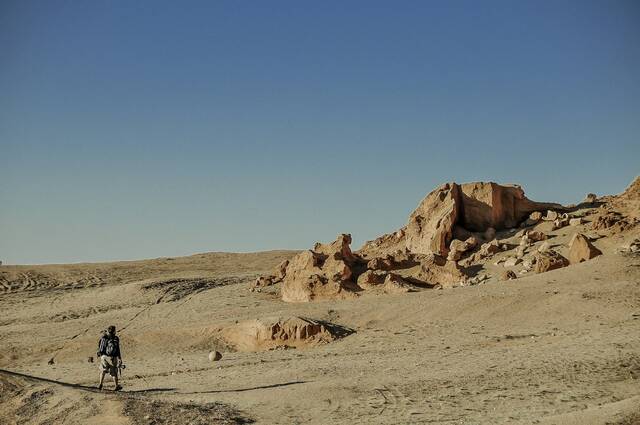
Near settlements and ger camps close to a soum centre, usually yes. Between them, there is often no network at all, so download offline maps before you leave Ulaanbaatar.
Do I get a Mongolian phone number?
No. It is a data-only eSIM. WhatsApp, maps and browsing work; regular calls and SMS go through your home SIM.
What if I run out of data?
Top up the same eSIM at hopmundo.com/top-up (or from the link in your email): more data on a data plan, or more days on an unlimited plan. It is added in about a minute, with no new QR code and nothing to reinstall. A data plan can't be switched to unlimited later, so if you expect heavy use, start with an unlimited plan.
When does my plan start?
On your first connection in Mongolia, not on purchase. Install it before you fly, switch it on when you land.
Plans, networks and coverage checked .
real people on the other side
Stuck installing? Write to us.
We answer every day. If your eSIM won't install, we fix it with you or give your money back.